
Hours belong to jobs
A total monthly payroll figure cannot explain which activity made or lost money. ActualCost assigns each labour entry to a team member, project and job so the accumulated cost can be compared with the job’s estimate.
Labour cost = regular hours × loaded rate + overtime hours × overtime rate
If no separate overtime rate is entered for a team member, ActualCost uses that person’s regular loaded rate. The calculated cost and rates are preserved with the entry so a later rate update does not rewrite historical job costs.
Made for repeated daily entry
- Search team members and jobs by typing part of a name.
- Use keyboard navigation or scroll through longer lists.
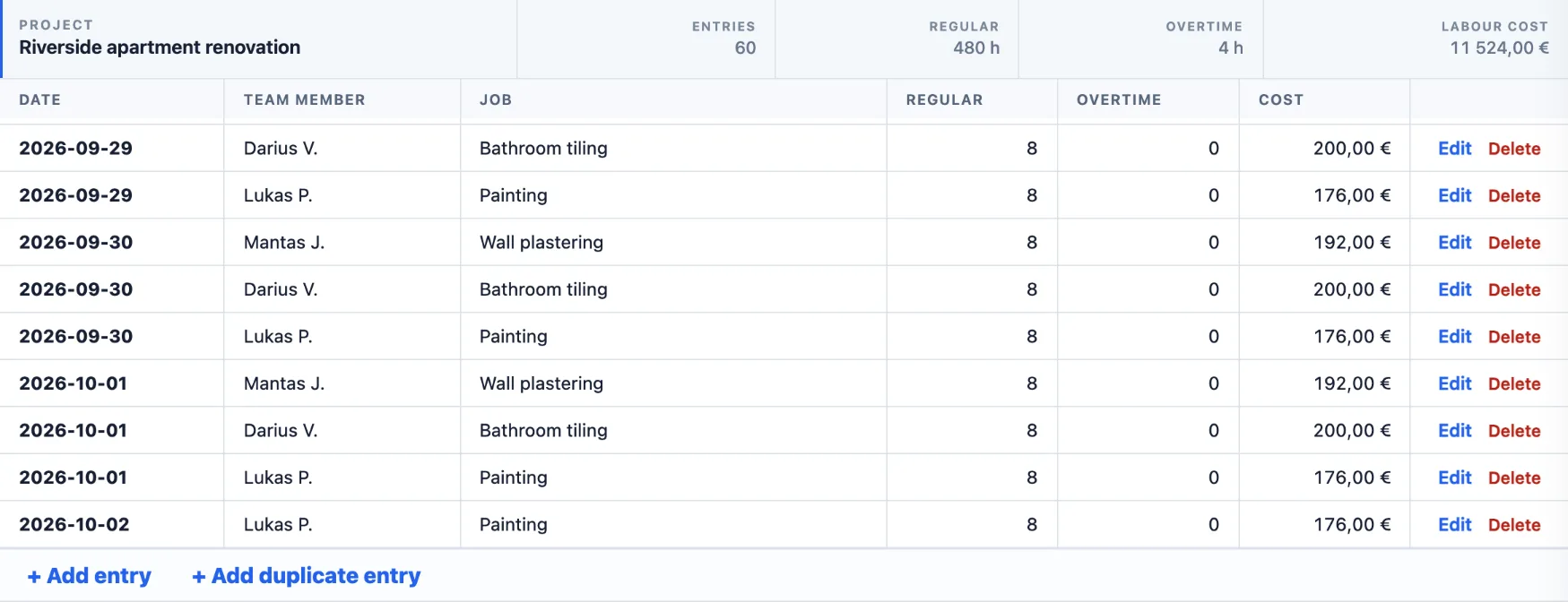
- Edit an incorrect worker, date, job or number of hours.
- Review hours, overtime, labour cost and team days by project.
Internal labour and subcontractors
Some companies use their own team; others subcontract most work; many use both. ActualCost records the two cost sources separately while allowing the job view to reflect the workforce structure used in the estimate.
A worked example
Mantas is a plasterer with a loaded rate of 24 €/h and an overtime rate of 33 €/h. On Tuesday he works 8 regular hours and 2 overtime hours on Wall plastering.
Labour cost = 8 h × 24 € + 2 h × 33 € = 258 €
Those 258 € are added to the actual labour of Wall plastering straight away. In the demo project, the job’s labour has now reached 5 924 € against an estimate of 4 800 €, so the Jobs view shows it in red: −1 124 €, or about −36 € for every team day (8 logged hours) spent on it.
Fast daily entry
- Type to find. Start typing a worker’s or job’s name and pick it from the suggestions.
- + Add duplicate entry. When a crew works on the same job, copy the date, job, hours and comment and only change the team member.
- Quick entry. Record several entries in one go.
- Extra work. Work that was not in the estimate can be added as a new job while you record hours.
- Easy corrections. Edit the worker, date, job or hours, or delete an entry — with Undo if you change your mind.
Frequently asked questions
What is a loaded hourly rate?
The loaded rate is what one hour of a worker really costs the company: wages plus employer taxes, insurance and other employment costs. ActualCost uses it to calculate labour cost. A separate direct rate can be stored as well.
Do workers need their own login?
No. Workers are team members you record hours for, and there is no limit on how many you add. Only the people who enter or review data sign in, and only they count as users in your plan.
What happens to old entries when a pay rate changes?
Each labour entry keeps the rate and cost calculated when it was saved. A new rate applies from its effective date, so a pay rise does not rewrite the cost of work that is already done.
How is overtime handled?
Regular and overtime hours are entered separately. Overtime is costed at the worker’s overtime rate; if none is set, the regular loaded rate is used.
Can hours be entered on a phone or tablet?
Yes. ActualCost runs in the web browser on phones, tablets and computers, so a foreman can record the day’s hours on site.
Connect every workday to its real job cost.
Apply for access to test the workflow with your team.